


Spoke tension gauge with bearing contact points for accurate, repeatable readings across every spoke in the wheel. Ships factory-calibrated with its own matched calibration stick, a built-in spoke-diameter gauge, and a QR link to the Unior Wheel Tension App for kilogram-force conversion, balancing charts, and printable tension sheets.
In stock
Couldn't load pickup availability
Free US shipping on orders $75+
Some exceptions apply — see shipping policy
Unior has made hand tools in Zreče, Slovenia since 1919 and sponsors professional road and mountain-bike race teams.


A wheel that's true on the stand but unevenly tensioned will go right back out of true under the first hard ride. The Spoke Tension Meter 2.0 is the gauge that closes the gap, reading the working tension in every spoke so the side-to-side balance can be set before the wheel leaves the bench.
The 2.0 is a redesign of the proven Spoke Tension Meter 1752/2 with three changes that matter on the bench:
- Bearing contact points at the spoke. The 2.0's redesigned head replaces the previous-generation sliding contact with bearings at each spoke-contact area, which improves measurement accuracy and lets the same wheel read the same value pass after pass. Repeatability is what separates a meter that informs the build from one that's a check.
- Calibration stick included with the tool. Each Spoke Tension Meter 2.0 ships with its own calibration stick; the same stick used during the meter's factory calibration. Press the handle, insert the stick, adjust the spring until the reading matches the value marked on the stick. The recalibration takes seconds and can be done on the bench any time the meter feels like it's drifting.
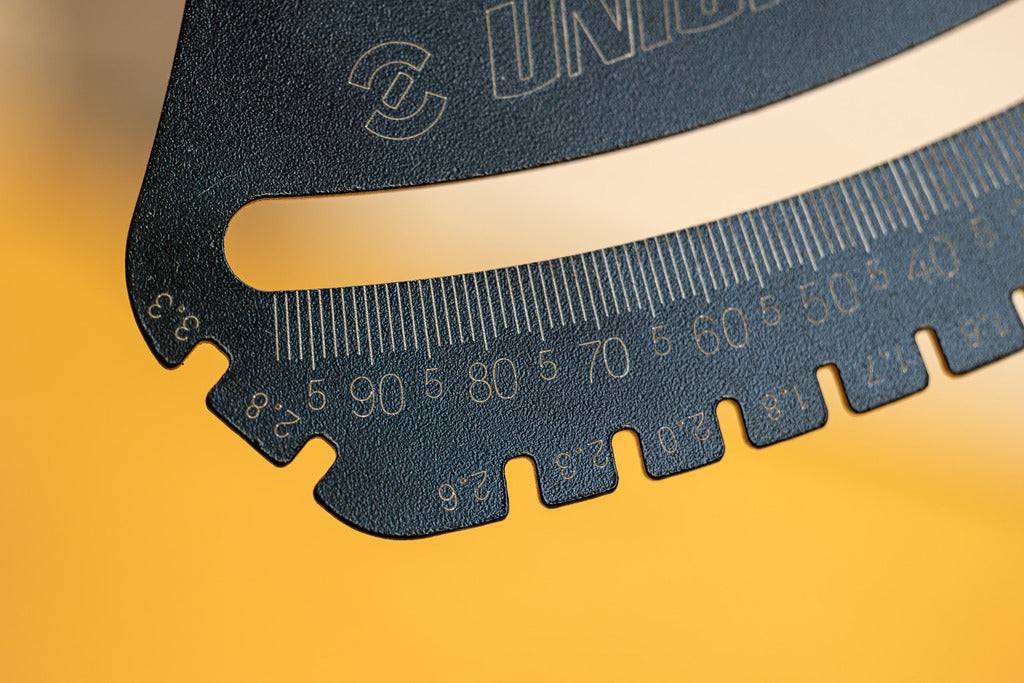
- Black surface finish on the body. The black-body update reads more cleanly under workshop lighting than the previous silver finish.
A built-in spoke-diameter gauge sits on the body of the tool; insert any spoke in the top openings to identify its thickness, which is the value you use to look up the kilogram-force in the Unior Wheel Tension App and printable tension sheet. The app converts the dial reading to KGF, lets you record per-spoke values for the build, and prints a one-page tension sheet you can hand to a customer at the end of a build.
Compatibility
- Spokes: round and bladed spokes; identify the diameter with the built-in gauge, then read tension against the app's conversion tables.
- Sizes: the Wheel Tension App tables cover round spokes from 1.4 to 2.34 mm and bladed spokes from 0.9 x 1.8 mm to 1.3 x 2.8 mm.
- The Unior Wheel Tension App at spoketension.uniortools.com converts dial readings to KGF.
Specs
- Factory-calibrated and ready out of the box; calibration stick included for recalibration.
- Bearing contact points at the spoke for accuracy and repeatability.
- Built-in spoke-diameter gauge for sizing.
- QR-code on the body linking to the Unior Wheel Tension App.
Built in Zreče, Slovenia
Unior has been forging hand tools in Zreče since 1919, and sponsors professional road and mountain-bike race teams. The 2.0 reflects a workshop-driven set of choices: bearings instead of sliding contact, a calibration stick individually matched to the tool during its factory calibration, an app that lets the mechanic build a record per wheel. Each is a small improvement; together they're the difference between a tension meter that's a once-a-year tool and one that's on the bench every build.
Pro tip from our mechanics
Read tension at the same handle-pressure on every spoke. The meter's spring is the reference, and applying it consistently is the difference between a tension band that's actually 10–15% and one that's 20% but reads as 10%. We press the handle to a stop, take the reading, release; the rhythm becomes muscle memory after a hundred spokes and the per-spoke variability collapses to the wheel's real tension distribution rather than the operator's. The rest of the wheel-truing workflow is in How to true a bike wheel →
FAQ
What spoke sizes and shapes can the Spoke Tension Meter 2.0 measure? It reads round and bladed spokes. The Unior Wheel Tension App's conversion tables cover round spokes from 1.4 to 2.34 mm and bladed spokes from 0.9 x 1.8 mm to 1.3 x 2.8 mm. If you are unsure of a spoke's diameter, the gauge built into the top of the body identifies it before you look up the tension.
How do I calibrate the Spoke Tension Meter 2.0? It arrives factory-calibrated and ready to use. Every meter also ships with its own calibration stick — the exact stick used during that meter's factory calibration. To recalibrate, press the handle, insert the stick, and adjust the spring until the reading matches the value marked on the stick; the process takes seconds. Keep the stick in the case and use it only with this meter.
What is the difference between the Spoke Tension Meter 2.0 and the original 1752/2? Three changes: bearing contact points at the spoke improve measurement accuracy and repeatability, the black body finish makes the etched scale easier to read, and a QR code on the tool links straight to the Unior Wheel Tension App for kilogram-force conversion. Both generations ship with a calibration reference and a built-in spoke-diameter gauge.
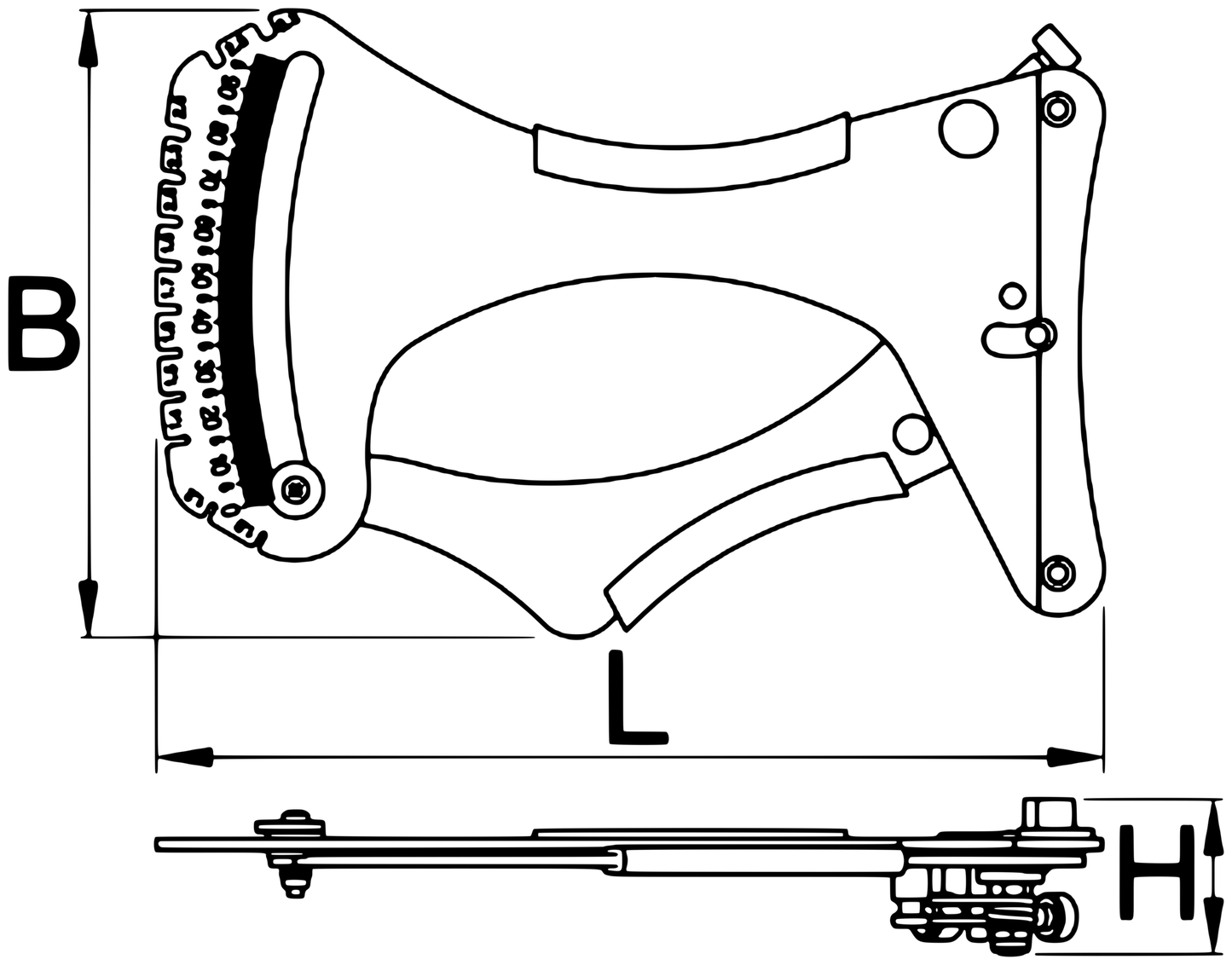
What are the dimensions of the Spoke Tension Meter 2.0 and are spare parts available? The tool measures 205 x 135 x 37 mm and weighs 682 g, and it arrives seated in a foam-lined case alongside its calibration stick. Unior lists a replacement spring (model 1752.1) as the serviceable spare part for the meter.
 Tech Tips
How to true a bike wheel
Tech Tips
How to true a bike wheel
